Инструкция для Hyundai H-1203, Electronics H-1203
 1
 2
 3
 4
 5
 6
 7
 8
 9
 10
 11
 12
 13
6
NOTE:
·
You may want to monitor playback during recording. You can adjust the sound with the VOLUME control. This adjustment does not affect
the content of recording
RECORDING WITH BUILT-IN MICROPHONE
·
Slide the Function switch to TAPE position thus the Power LED indicator should light up.
·
Insert a blank cassette into deck.
·
Press the PLAY button and RECORD button simultaneously to start recording.
·
Press the STOP/EJECT button when finished.
NOTE:
·
Monitoring during MICROPHONE recording is not possible
MAINTENENCE AND CARE
·
Check your batteries regularly, old or discharged batteries should be replaced. If the unit is not going to be used for some time or is being
run exclusively on the alternative power, remove the batteries to avoid leakage and damage.
·
Electronic products of this kind should never be subjected to moisture or extreme temperatures.
·
If necessary, clean the unit with a piece of cloth dampened with water only (be sure the AC power cord is disconnected from the power
supply).
·
The heads and capstan are in constant contact with the moving tape. Use a small cotton bud with alcohol or special tape head cleaner to
clean these parts. Never touch the heads with anything metallic.
ERASE PROTECTION
·
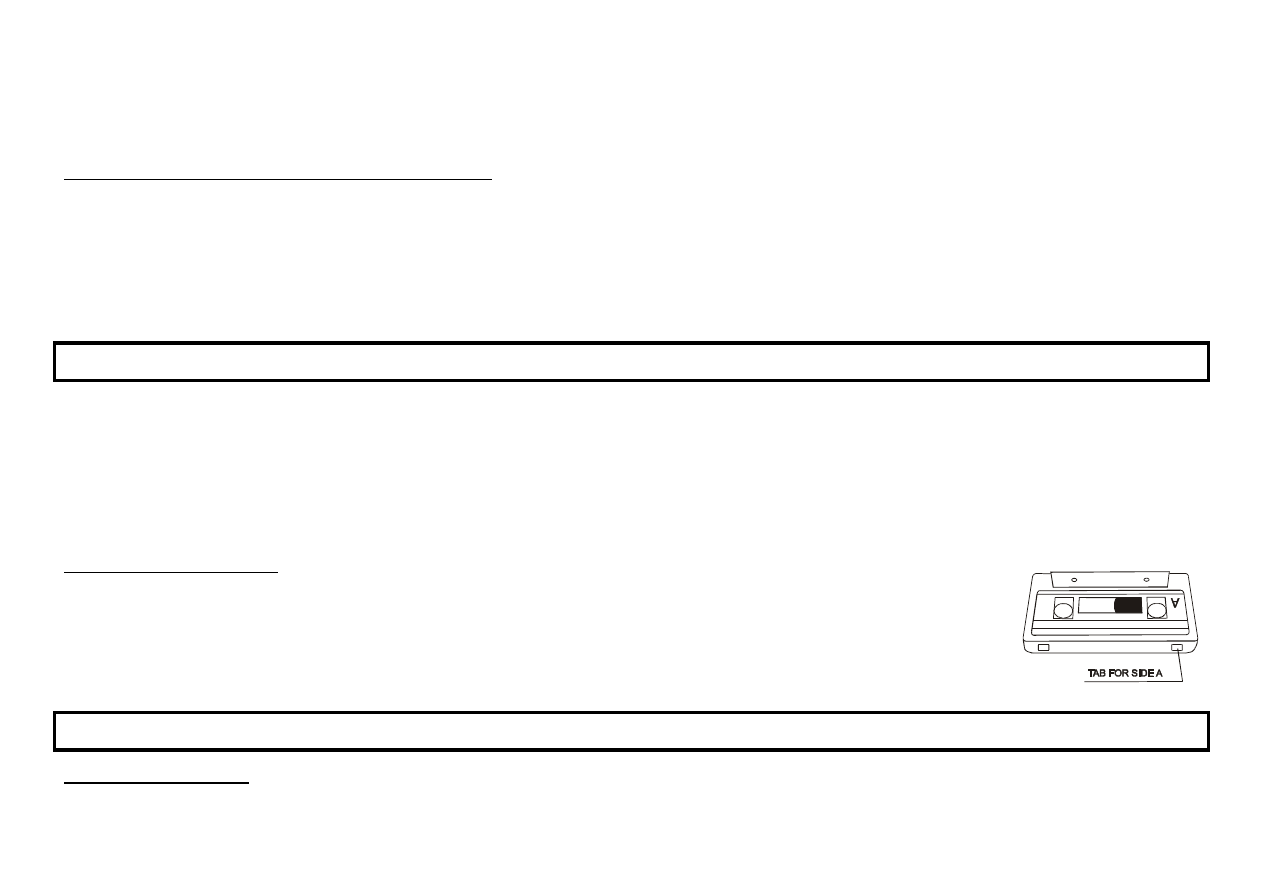
To prevent accidental erasing of a cassette, simply break off the two plastic tabs located on the cassette tape s rear
side.
·
When a cassette with removed plastic tabs is inserted, the recording button cannot be pressed.
·
If a cassette is to be erased and re-recorded at a later stage, simply cover the holes on the cassette where the tabs
were removed, with a piece of strong adhesive tape.
SPECIAL FEATURES
AUTOMATIC STOP
During playback or recording, the unit will shut itself off automatically at the end of tape.
Оглавление инструкции
- Страница 1 из 14
H-1203 PORTABLE STEREO RADIO CASSETTE RECORDER Instruction manual
- Страница 2 из 14
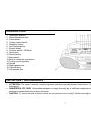
DESCRIPTION 1. Telescopic antenna 2. Stereo headphone jack 3. Pause button 4. Volume control switch 5. Stop/Eject button 6. Fast forward button 7. Rewind button 8. Function switch / FM Mode 9. Play button 10. Record button 11. Band switch 12. Built-in condenser microphone 13. Tuning control
- Страница 3 из 14
POWER SUPPLY BATTERY OPERATION · · · · Set the FUNCTION switch to the TAPE position. Open the battery compartment cover. Insert 6 batteries (UM-1). Please observe correct battery polarities or the set will not work. Close the battery compartment cover. AC OPERATION · Before the first connecting of
- Страница 4 из 14
-Recording from built-in Condenser Microphone SOUND ADJUSTMENT VOLUME The level of sound reproduced by the loudspeaker or Stereo Headphones is adjusted by the VOLUME control. NOTE: During recording, adjusting the VOLUME control only affects the monitor sound and not the content of recording. RADIO
- Страница 5 из 14
CASSETTE RECORDER OPERATION CONTROLS · STOP/EJECT button During operation, depress to stop all deck operation. Press again to open the cassette door. · FAST FORWARD button and REWIND button Press to rapidly advance the tape in either forward or reverse direction. · PLAY button Press to start
- Страница 6 из 14
NOTE: · You may want to monitor playback during recording. You can adjust the sound with the VOLUME control. This adjustment does not affect the content of recording RECORDING WITH BUILT-IN MICROPHONE · Slide the Function switch to TAPE position thus the Power LED indicator should light up. ·
- Страница 7 из 14
TROUBLESHOOTING Carefully re-read the instructions to make sure the unit is being operated properly. Check the following before you take your unit to the local dealer for repair. SYMPTOM There is no sound from the speakers. CAUSE - Headphones are connected to the unit. - The Volume control is set
- Страница 8 из 14
1. 2. 3. 4. 5. 6. 7. 8. 9. 10. 11. 12. 13. 14. 15. 16. 17. · Pause Stop/Eject Fast forward Rewind / FM mono/stereo Play Record : . . · · : . , . : . . 8
- Страница 9 из 14
· · · · TAPE. . 6 UM-1, , . . · , , , . · · . . : · , . . · · , . , . · · · 3,5 . . · RADIO: · TAPE: 9 .
- Страница 10 из 14
, , . : , . · · · · · RADIO, . , . , . . . · FM , , . · AM , . : · FM · FM . FM FM. : · (FM). FM STEREO, , FM STEREO. 10
- Страница 11 из 14
· · · · · · Record Play Fast forward Rewind Stop/Eject Pause - · · · , STOP/EJECT. PLAY. . . : · · PAUSE. STOP/EJECT. . · · . . · · RADIO, . . , · · · . . RECORD STOP/EJECT PLAY. : · , 11
- Страница 12 из 14
· · · · TAPE, . . RECORD PLAY STOP/EJECT . : , · . , . , . · · · . , , , . . . · · · . . , . , , , , . , . 12
- Страница 13 из 14
, , , . . . - . . TAPE FM . , . PLAY , . , RECORD . PAUSE. . . . . , . . , . , . 230 , 50 RMS 2 / 1,66 / 1,75 395 x 147 ( x x ) 2 x 156 13 .
- Страница 14 из 14