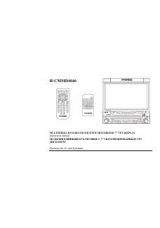
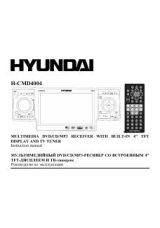
Инструкция для Hyundai H-CMMD4040
Инструкция в формате - PDF
Количество страниц - 67 страниц
Размер - 0.4 МБ
Доступно - Бесплатное скачивание
Доступно - Онлайн чтение
 1
 2
 3
 4
 5
 6
 7
 8
 9
 10
 11
 12
 13
 14
 15
 16
 17
 18
 19
 20
 21
 22
 23
 24
 25
 26
 27
 28
 29
 30
 31
 32
 33
 34
 35
 36
 37
 38
 39
 40
 41
 42
 43
 44
 45
 46
 47
 48
 49
 50
 51
 52
 53
 54
 55
 56
 57
 58
 59
 60
 61
 62
 63
 64
 65
 66
 67
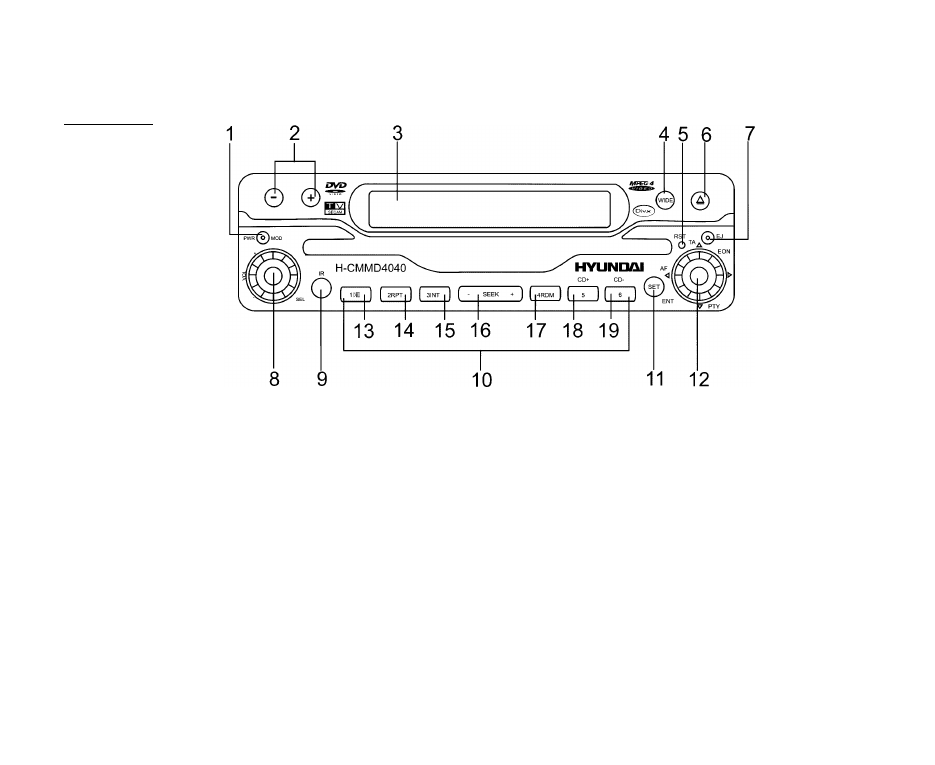
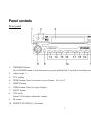
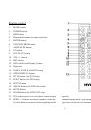
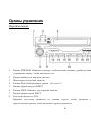
Panel controls
Front panel
1.
PWR/MOD button
Press POWER button to turn the power on, press and hold for 2 seconds to turn the power off.
2.
Adjust angle +/-
3.
TFT display
4.
WIDE button. Press it to choose screen format - 16:9 or 4:3
5.
RESET button
6.
OPEN button. Press it to open display
7.
EJECT button
8.
VOL knob
Rotate VOL knob to adjust the volume.
9.
IR sensor
10. PRESET STATION [1-6] buttons
7
Оглавление инструкции
- HYUNDAI
- Installation opening
- Using the ISO Connector
- Front panel
- Remote control
- Reset the unit
- Power button
- Volume control
- Setting the sound characteristics
- Mute control
- Mode control
- ST selector
- Adjust angle
- Screen setting
- Open TFT screen
- Setting Knob (Multi-functional Key)
- Band selection
- Manual/ automatic tuning
- Programming tuner stations
- AMS (Auto Memory Store) function
- AF (Alternative Frequencies) function
- TA (Traffic Alarm) function
- PTY (Program Type)
- EON (Enhanced Other Networks)
- Local/Distance Control
- TV tuning (only when TV antenna is connected)
- PBC (PlayBack Control)
- Title
- Chapter
- Track
- Discs for playback
- Loading a disc
- Playing/ pausing
- Pause
- STOP
- Playing the previous/ next track
- Scanning forward and backward
- Repeat playback
- Random playback (for CD/VCD/MP3 discs)
- Intro playback (for CD/VCD discs)
- GOTO function
- PBC (Playback Control) function (for VCD only)
- MENU selector
- System switch
- Selecting different audio modes
- Changing the subtitle language (for DVD only)
- On-screen display
- Using the TITLE (for DVD only)
- Changing angle (for DVD only)
- Changing size
- Language setup
- Video setup
- Rating
- Remove the panel
- Remove the unit
- Cleaning the cabinet
- Cleaning discs
- Использование разъема ISO
- Передняя панель
- Пульт управления
- Сброс установок
- Кнопка включения питания
- Регулировка громкости
- Регулировка настроек аудио и видео
- Выключение звука
- Выбор режима работы
- Выбор режима аудио
- Выбор угла поворота дисплея
- Выбор формата экрана
- Открытие дисплея
- Многофункциональная кнопка SEL
- Выбор диапазона
- Ручной/ автоматический поиск радиостанций
- Программирование радио станций
- Функция автоматического сохранения станций в памяти
- Функция AF (Альтернативные частоты)
- функция TA (поиск программ о дорожном движении)
- Функция PTY (Тип программы)
- функция EON (расширенный диапазон)
- Контроль местного/удаленного приема
- Настройка ТВ (только при подключенной ТВ антенне)
- РВС (управление воспроизведением)
- Заголовок
- Глава
- Трек
- Диски для воспроизведения
- Загрузка дисков
- Воспроизведение
- Пауза
- Стоп
- Переход к предыдущему или следующему треку
- Ускоренное воспроизведение вперед или назад
- Повтор воспроизведения
- Случайное воспроизведение (только для дисков CD/VCD/MP3)
- Функлия Intro (только для CD/VCD)
- функция перехода GOTO
- PBC (Управление воспроизведением) (только для VCD дисков)
- Работа с меню
- Выбор системы видео
- Выбор различных звуковых режимов
- Изменение языка субтитров (только для DVD дисков)
- Отображение информаиии на дисплее
- Использование заголовков (только для DVD дисков)
- Изменение угла (только для DVD дисков)
- Изменение масштаба изображения
- Установка языка
- Настройки видео
- Настройки контроля
- Снятие панели
- Съем изделия
- Чистка корпуса
- Чистка дисков