Инструкция для Hyundai H-CMDN6000
 1
 2
 3
 4
 5
 6
 7
 8
 9
 10
 11
 12
 13
 14
 15
 16
 17
 18
 19
 20
 21
 22
 23
 24
 25
 26
 27
 28
 29
 30
 31
 32
 33
 34
 35
 36
 37
 38
 39
 40
 41
 42
 43
 44
 45
 46
 47
 48
 49
 50
 51
 52
 53
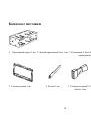 54
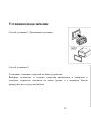 55
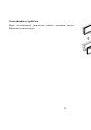 56
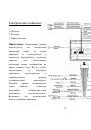 57
 58
 59
 60
 61
 62
 63
 64
 65
 66
 67
 68
 69
 70
 71
 72
 73
 74
 75
 76
 77
 78
 79
 80
 81
 82
 83
 84
 85
 86
 87
 88
 89
 90
 91
 92
 93
 94
 95
 96
 97
 98
 99
 100
 101
 102
 103
 104
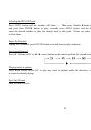
On Screen Display
Briefly press OSD button and the display will show:
Single elapsed => Single remain => Total elapsed => Total remain => OFF.
Press and hold OSD button on the RC to display the current setup.
Setting the Playback Time
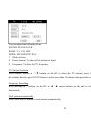
During CD playback, press GOTO button, there will be
track :
— : — on the display.
Enter your desired track for playback using number buttons.
Press ▼ cursor button,
disk time
appears on the TFT, also enter your desired time of the playback using number
buttons.
During VCD mode, press ▼ cursor button to set the playing time
:
track/disc time/track time/repeat/time disp.
Press ^ /▼ cursor buttons to select the options, press ENTER to set the status. Then press number buttons or
◄ / ► cursor buttons to set the current status. Press GOTO to exit the menu.
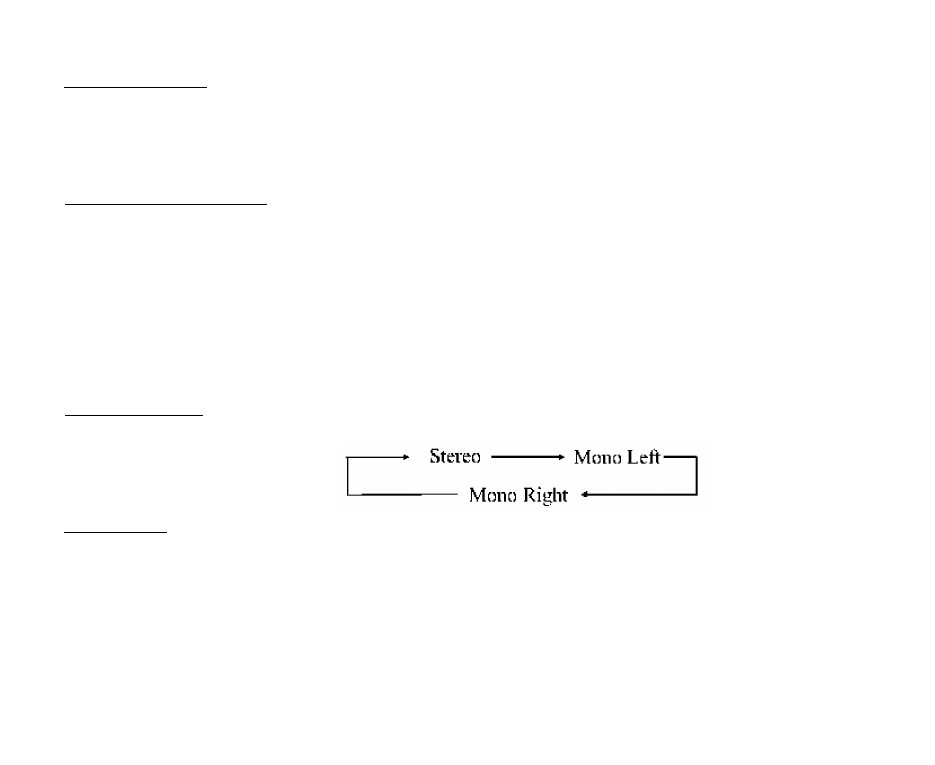
Selecting Channel
Repeatedly press ST/AUDIO button to select the following channels:
PBC Selector
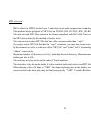
During VCD mode, press BND/TITLE button, the PBC playback starts and the menu of entire disc appears on
TFT. And then you can select your desired track using cursor or number buttons. When a track is playing, you
can press SEL/MENU button on the unit to return to the video file menu, if you would like to select others. To
cancel PBC playing, press BND/TITLE button again.
Note
: This function is only available if discs support PBC version 2.0 or above.
37
Оглавление инструкции
- HYUNDAI
- Dear customer!
- Table of contents
- Important safeguards
- Installation/connection
- Unit controls
- General operations
- Main menu
- Digital tuner operations
- Disc operations
- Discs for playback
- DVD operations
- Glossary
- PBC (Play Back Control)
- Title
- Chapter
- Track
- Playing a DVD
- Stop the playback
- Fast rewind/forward
- Number Buttons
- Repeat Playing
- Slow motion playback
- Chan2in2 the size of the picture
- On Screen Display
- DVD Playback Setting
- Changing the viewing angle (Multi-angle)
- Changing audio language (Multi-audio)
- Changing the subtitle language (Multi-subtitle)
- MENU function
- DVD Setup menu
- General setup page
- • TV DISPLAY
- • ANGLE MARK
- • OSD LANG
- • CAPTIONS
- • SCREEN SAVER
- Dolby digital setup
- • DUAL MONO
- • DYNAMIC
- Preference setup • TV TYPE
- • AUDIO, SUBTITLE, DISC MENU
- • PARENTAL
- • PASSWORD
- • DEFAULT
- Exit
- VCD/CD operations
- Playing a VCD/CD
- Previous/next track
- Repeat Playing
- Playing Tracks at Random
- Number Buttons
- Stop Playback
- Fast rewind/forward
- System Switch
- Slow motion playback
- Chan2in2 the size of the picture
- On Screen Display
- Setting the Playback Time
- Selecting Channel
- PBC Selector
- Program Playing
- Notes on creating your own CD-R or CD-RW containing MP3 files:
- Playing tracks
- Number buttons
- Stop the playback
- Playing tracks at random
- Pause the Playback
- Repeat Playing
- On Screen Display
- Setting the Playback Time
- Previous/next track
- Fast rewind/forward
- Changing the size of the picture
- Playing an MP3/SD
- Previous/next track
- Repeat Playing
- Number buttons
- Stop Playing
- Selecting the MP3/SD Track
- Pause the Playback
- Fast rewind/forward
- Playing tracks at random
- Eject the SD card
- MP3 overview
- AUX/TV operations (optional)
- GPS operations
- Handling and cleaning discs
- Troubleshooting guide
- Specification
- Содержание
- Меры предосторожности
- Комплект поставки
- Установка/подключение
- Элементы управления
- Основные операции
- Главное меню
- AUDIO (настройка аудио)
- VIDEO (настройка видео)
- 3. SOURCE (настройка источника)
- 4. SYSTEM (настройка системы)
- CLOCK SYS (режим часов)
- KEY BEEP (звуковой сигнал)
- MONI FLEX - наклон монитора (опция)
- REVER POLA (обратная полярность)
- SUBWOOFER (сабвуфер)
- AMS (Настройка режимов AMS)
- LOCAL AREA (местная зона)
- LOCAL (местные)
- GOTO FREQ (выбор частоты)
- TA Volume (Громкость ТА)
- ADJ SCREEN (калибровка экрана)
- CLOCK ADJ (установка времени)
- Операции с радио
- Операции с дисками
- Диски для воспроизведения
- Операции с DVD
- Термины, относящиеся к дискам
- Воспроизведение DVD
- Остановка воспроизведения
- Быстрый выбор трека
- Ускоренное воспроизведение в прямом или обратном направлении
- Цифровые кнопки
- Повторное воспроизведение
- Переключение системы
- Замедленное воспроизведение
- Изменение размера изображения
- Отображение информации на дисплее
- Настройки воспроизведения DVD
- Изменение угла камеры (Функция Multi-angle)
- Изменение языка аудио (Функция Multi-audio)
- Изменение языка субтитров (Функиия Multi-subtitle)
- Функция MENU
- Меню настройки DVD
- Главная страница
- • ДИСПЛЕИ
- • УГОЛ
- • РАЗДЕЛЫ
- • СКРИНСЕЙВЕР
- Установка DOLBY
- • двойной МОНО
- • ДИНАМИЧЕСКИЙ ДИАПАЗОН
- Дополнительные наетройки
- • РЕЖИМ ТВ
- • УСТАНОВКИ ЯЗЫКА АУДИО, СУБТИТРОВ, МЕНЮ ДИСКА
- • РОДИТЕЛЬСКИЙ
- Операции с VCD/CD дисками
- Воспроизведение VCD/CD дисков
- Предыдущий/следующий трек
- Повторное воспроизведение
- Воспроизведение треков в произвольном порядке
- Цифровые кнопки
- Остановка воспроизведения
- Временная приостановка воспроизведения
- Ускоренное воспроизведение в прямом или обратном направлении
- Переключение системы
- Замедленное воспроизведение
- Изменение размера изображения
- Отображение информании на дисплее
- Установка времени воспроизведения
- Выбор канала
- Переключение PBC
- Воспроизведение в запрограммированном порядке
- Замечание по созданию собственных CD-R или CD-RW, содержащих файлы MP3
- Операции с MP4 дисками
- Воспроизведение
- Цифровые кнопки
- Остановка воспроизведения
- Воспроизведение в произвольном порядке
- Временная остановка (пауза) воспроизведения
- Повторное воспроизведение
- Отображение информации на дисплее
- Установка времени воспроизведения
- Предыдущий/следующий трек
- Ускоренное воспроизведение в прямом или обратном направлении
- Изменение размера изображения
- Операции с MP3 дисками
- Воспроизведение MP3 дисков/SD карт
- Предыдущий/следующий трек
- Повторное воспроизведение
- Пифровые кнопки
- Остановка воспроизведения
- Выбор трека MP3
- Временная остановка (пауза) воспроизведения
- Ускоренное воспроизведение в прямом или обратном направлении
- Отображение информании на дисплее
- Извлечение 8Р карты
- Обзор формата MP3
- Операции с AUX/ТВ тюнером (опция)
- Операции с GPS
- Обращение с дисками
- Руководство по устранению неисправностей
- Технические характеристики