Инструкция для Hyundai H-CMDN6000
 1
 2
 3
 4
 5
 6
 7
 8
 9
 10
 11
 12
 13
 14
 15
 16
 17
 18
 19
 20
 21
 22
 23
 24
 25
 26
 27
 28
 29
 30
 31
 32
 33
 34
 35
 36
 37
 38
 39
 40
 41
 42
 43
 44
 45
 46
 47
 48
 49
 50
 51
 52
 53
 54
 55
 56
 57
 58
 59
 60
 61
 62
 63
 64
 65
 66
 67
 68
 69
 70
 71
 72
 73
 74
 75
 76
 77
 78
 79
 80
 81
 82
 83
 84
 85
 86
 87
 88
 89
 90
 91
 92
 93
 94
 95
 96
 97
 98
 99
 100
 101
 102
 103
 104
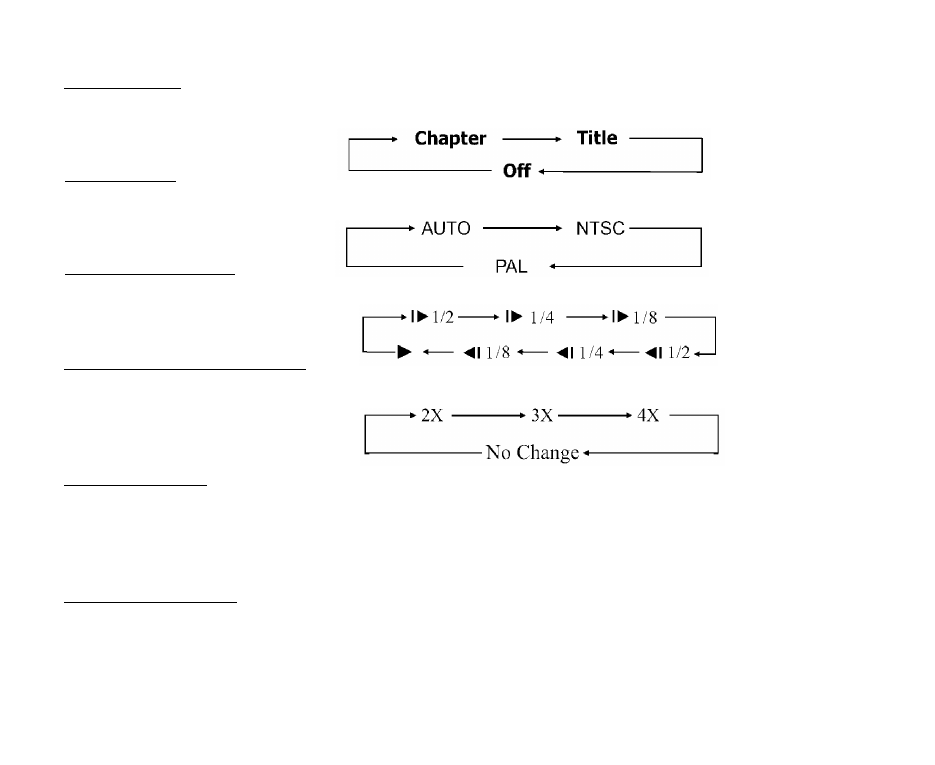
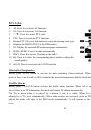
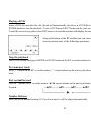
Repeat Playing
Press RPT button on the RC to perform replaying function as followings:
System Switch
During playback mode, Press P/N button on the RC to set the TV standard to PAL or NTSC or AUTO system.
Slow motion playback
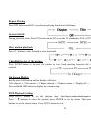
Press 11^ button to slow forward or slow backward.
Chan
2
in
2
the size of the picture
Press ZOOM button to increase the picture in size. Each pressing increases the size until the maximum size is
reached.
On Screen Display
Briefly press OSD button and the display will show:
Title elapsed => Title remain => Chapter elapsed => Chapter remain => Display off =>.
Press and hold OSD button to display the current setup.
DVD Playback Setting
Press GOTO button to set the playing time:
title/chapter/audio/subtitle/angle/tt time/ch time/repeat/time disp.
Press ^ /▼ buttons to select the options, press ENTER to set the status. Then press Number Buttons or ◄ / ►
buttons to set the current status. Press GOTO button to exit.
29
Оглавление инструкции
- HYUNDAI
- Dear customer!
- Table of contents
- Important safeguards
- Installation/connection
- Unit controls
- General operations
- Main menu
- Digital tuner operations
- Disc operations
- Discs for playback
- DVD operations
- Glossary
- PBC (Play Back Control)
- Title
- Chapter
- Track
- Playing a DVD
- Stop the playback
- Fast rewind/forward
- Number Buttons
- Repeat Playing
- Slow motion playback
- Chan2in2 the size of the picture
- On Screen Display
- DVD Playback Setting
- Changing the viewing angle (Multi-angle)
- Changing audio language (Multi-audio)
- Changing the subtitle language (Multi-subtitle)
- MENU function
- DVD Setup menu
- General setup page
- • TV DISPLAY
- • ANGLE MARK
- • OSD LANG
- • CAPTIONS
- • SCREEN SAVER
- Dolby digital setup
- • DUAL MONO
- • DYNAMIC
- Preference setup • TV TYPE
- • AUDIO, SUBTITLE, DISC MENU
- • PARENTAL
- • PASSWORD
- • DEFAULT
- Exit
- VCD/CD operations
- Playing a VCD/CD
- Previous/next track
- Repeat Playing
- Playing Tracks at Random
- Number Buttons
- Stop Playback
- Fast rewind/forward
- System Switch
- Slow motion playback
- Chan2in2 the size of the picture
- On Screen Display
- Setting the Playback Time
- Selecting Channel
- PBC Selector
- Program Playing
- Notes on creating your own CD-R or CD-RW containing MP3 files:
- Playing tracks
- Number buttons
- Stop the playback
- Playing tracks at random
- Pause the Playback
- Repeat Playing
- On Screen Display
- Setting the Playback Time
- Previous/next track
- Fast rewind/forward
- Changing the size of the picture
- Playing an MP3/SD
- Previous/next track
- Repeat Playing
- Number buttons
- Stop Playing
- Selecting the MP3/SD Track
- Pause the Playback
- Fast rewind/forward
- Playing tracks at random
- Eject the SD card
- MP3 overview
- AUX/TV operations (optional)
- GPS operations
- Handling and cleaning discs
- Troubleshooting guide
- Specification
- Содержание
- Меры предосторожности
- Комплект поставки
- Установка/подключение
- Элементы управления
- Основные операции
- Главное меню
- AUDIO (настройка аудио)
- VIDEO (настройка видео)
- 3. SOURCE (настройка источника)
- 4. SYSTEM (настройка системы)
- CLOCK SYS (режим часов)
- KEY BEEP (звуковой сигнал)
- MONI FLEX - наклон монитора (опция)
- REVER POLA (обратная полярность)
- SUBWOOFER (сабвуфер)
- AMS (Настройка режимов AMS)
- LOCAL AREA (местная зона)
- LOCAL (местные)
- GOTO FREQ (выбор частоты)
- TA Volume (Громкость ТА)
- ADJ SCREEN (калибровка экрана)
- CLOCK ADJ (установка времени)
- Операции с радио
- Операции с дисками
- Диски для воспроизведения
- Операции с DVD
- Термины, относящиеся к дискам
- Воспроизведение DVD
- Остановка воспроизведения
- Быстрый выбор трека
- Ускоренное воспроизведение в прямом или обратном направлении
- Цифровые кнопки
- Повторное воспроизведение
- Переключение системы
- Замедленное воспроизведение
- Изменение размера изображения
- Отображение информации на дисплее
- Настройки воспроизведения DVD
- Изменение угла камеры (Функция Multi-angle)
- Изменение языка аудио (Функция Multi-audio)
- Изменение языка субтитров (Функиия Multi-subtitle)
- Функция MENU
- Меню настройки DVD
- Главная страница
- • ДИСПЛЕИ
- • УГОЛ
- • РАЗДЕЛЫ
- • СКРИНСЕЙВЕР
- Установка DOLBY
- • двойной МОНО
- • ДИНАМИЧЕСКИЙ ДИАПАЗОН
- Дополнительные наетройки
- • РЕЖИМ ТВ
- • УСТАНОВКИ ЯЗЫКА АУДИО, СУБТИТРОВ, МЕНЮ ДИСКА
- • РОДИТЕЛЬСКИЙ
- Операции с VCD/CD дисками
- Воспроизведение VCD/CD дисков
- Предыдущий/следующий трек
- Повторное воспроизведение
- Воспроизведение треков в произвольном порядке
- Цифровые кнопки
- Остановка воспроизведения
- Временная приостановка воспроизведения
- Ускоренное воспроизведение в прямом или обратном направлении
- Переключение системы
- Замедленное воспроизведение
- Изменение размера изображения
- Отображение информании на дисплее
- Установка времени воспроизведения
- Выбор канала
- Переключение PBC
- Воспроизведение в запрограммированном порядке
- Замечание по созданию собственных CD-R или CD-RW, содержащих файлы MP3
- Операции с MP4 дисками
- Воспроизведение
- Цифровые кнопки
- Остановка воспроизведения
- Воспроизведение в произвольном порядке
- Временная остановка (пауза) воспроизведения
- Повторное воспроизведение
- Отображение информации на дисплее
- Установка времени воспроизведения
- Предыдущий/следующий трек
- Ускоренное воспроизведение в прямом или обратном направлении
- Изменение размера изображения
- Операции с MP3 дисками
- Воспроизведение MP3 дисков/SD карт
- Предыдущий/следующий трек
- Повторное воспроизведение
- Пифровые кнопки
- Остановка воспроизведения
- Выбор трека MP3
- Временная остановка (пауза) воспроизведения
- Ускоренное воспроизведение в прямом или обратном направлении
- Отображение информании на дисплее
- Извлечение 8Р карты
- Обзор формата MP3
- Операции с AUX/ТВ тюнером (опция)
- Операции с GPS
- Обращение с дисками
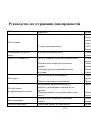
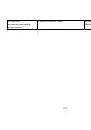
- Руководство по устранению неисправностей
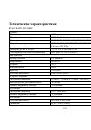
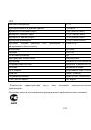
- Технические характеристики