Инструкция для Hyundai H-CMD7087
 1
 2
 3
 4
 5
 6
 7
 8
 9
 10
 11
 12
 13
 14
 15
 16
 17
 18
 19
 20
 21
 22
 23
 24
 25
 26
 27
 28
 29
 30
 31
 32
 33
 34
 35
 36
 37
 38
 39
 40
 41
 42
 43
 44
 45
 46
 47
 48
 49
 50
 51
 52
 53
 54
 55
 56
 57
 58
 59
 60
 61
 62
 63
 64
 65
 66
 67
 68
 69
 70
 71
 72
 73
 74
 75
 76
 77
 78
 79
 80
 81
 82

Digital tuner operations
Note:
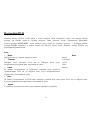
RDS (Radio Data System) service availability varies with areas. Please understand if RDS service is not
available in you area, the following service is not available, either.
RDS overview
PI: Program Identification Code - for identifying code.
PS: Program Service Name Broadcast - station name data expressed in alphanumerically character.
TP: Traffic Program Identification - for traffic information broadcasting station.
TA: Tral^.c Announcement Identification - showing traffic information is being transmitted or not.
AF: Alternative frequencies - frequency list of broadcasting station transmitting the same program.
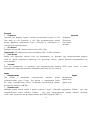
Band selection
Press MODE button to select TUNER. Press #/BAND/LOUD button on the panel or BAND/RDM on the RC
once or more to select: FM1, FM2, FM3, MW1 (AM1), MW2 (AM2).
Manual/automatic tuning
•
Manual tuning:
select a band. Press and hold PREVIOUS/NEXT buttons, “MANUAL” appears on the
display, then press these buttons repeatedly to search a station step by step upward or downward.
•
Automatic tuning:
select a band. Press PREVIOUS/NEXT buttons, the automatic backward/forward
search will start. It will play when finds the station.
Programming tuner stations
You can store up to a total of 30 radio stations in the memory (18 FM, 12 AM), manually or automatically.
• To store a station:
- Select a band (if needed)
18
Оглавление инструкции
- HYUNDAI
- H-CMD7087
- Dear customer!
- Table of contents
- Important safeguards
- Accessories
- Installation/connection
- Panel controls
- General operations
- Digital tuner operations
- Disc glossary
- DVD/SD/MMC/USB operations
- Discs for playback
- USB/SD/MMC notes
- Notes:
- Loading/Ejecting a disc
- Inserting the SD/MMC card/USB device
- Playing/pausing
- DIR+/DIR-
- Loudness
- Repeat playback
- Changing angle (for DVD only)
- Changing size (for DVD/VCD)
- A-B segment repeating
- OSD (OnScreen Display) function
- Program playing
- GOTO
- MENU
- Intro
- Dual mode
- MP3 overview
- DVD setup
- Bluetooth operation (option)
- Handling discs
- Cleaning
- Troubleshooting guide
- Specification
- Содержание
- Меры предосторожности
- Установка/подключение
- Установка устройства в приборную панель автомобиля «спереди» или «сзади»
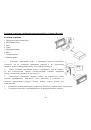
- Установка устройства в приборную панель автомобиля «спереди» (Метод А)
- Установка устройства
- Снятие устройства
- Установка декоративной рамки
- Установка устройства в приборную панель автомобиля «сзади» (Метод Б)
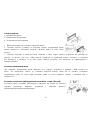
- Снятие панели
- Подсоединение съемной панели
- Внимание:
- Элементы управления
- Основные операции
- Операции с цифровым тюнером
- Выбор диапазона
- Ручной/автоматический поиск радиостанций
- Программирование радио станций
- Кнопка ЛЕ/МСХС
- Функция автоматического сохранения станций в памяти
- Функция автоматического сканирования станций
- функция TA (программы о дорожном движении)
- Функция AF (Альтернативные частоты)
- Функция PTY (Тип программы)
- Используемая терминология
- Воспроизведение файлов с DVD/SD/MMC/USB носителей
- Диски для воспроизведения
- Загрузка/извлечение диска
- Установка устройств SD/MMC/USB
- Воспроизведение/Пауза
- Переход к предыдущему или следующему треку
- Ускоренное воспроизведение вперед или назад
- Выбор папки
- Повтор воспроизведения
- Изменение угла просмотра (только для DVD дисков)
- Выбор языка аудио
- Выбор канала (для VCD дисков)
- Выбор языка субтитров (для DVD дисков)
- Изменение масштаба изображения (для DVD/VCD дисков)
- Повторное воспроизведение фрагмента (A-B)
- Отображение информации на экране
- Работа с меню (для DVD дисков)
- PBC (управление воспроизведением) (только для VCD дисков)
- Программирование воспроизведения
- GOTO (переход к заданному параметру)
- Кнопка MENU
- Функция Intro (обзорное воспроизведение)
- Двузонный режим
- Воспроизведение в произвольном порядке
- Обзор MP3 и WMA
- Настройки DVD
- Операции с Bluetooth (опция)
- Обращение с дисками
- Чистка и уход
- Руководство по устранению неисправностей
- Технические характеристики
- H-CMD7087