Инструкция для Hyundai H-CMD7087
 1
 2
 3
 4
 5
 6
 7
 8
 9
 10
 11
 12
 13
 14
 15
 16
 17
 18
 19
 20
 21
 22
 23
 24
 25
 26
 27
 28
 29
 30
 31
 32
 33
 34
 35
 36
 37
 38
 39
 40
 41
 42
 43
 44
 45
 46
 47
 48
 49
 50
 51
 52
 53
 54
 55
 56
 57
 58
 59
 60
 61
 62
 63
 64
 65
 66
 67
 68
 69
 70
 71
 72
 73
 74
 75
 76
 77
 78
 79
 80
 81
 82

-
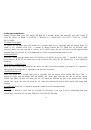
Select a station by pressing PREVIOUS/NEXT buttons.
-
Hold a Preset button (1-6), which you want store the station for at least 2 seconds.
• To recall a station:
-
Select a band (if needed)
-
Press a Preset button (1-6) briefly to recall the stored station.
AF/MONO button
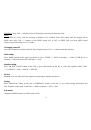
Press 7/AF/MONO button to enable AF mode. Press and hold AF/MONO on the unit or press ST/MO on the
RC to choose MONO or STEREO.
Auto memory store
Select a band. Press */AS/PS button on the panel and hold for 2 seconds to enter auto store mode. The radio
will automatically store 6 stations to the 6 preset memories of the current band. To stop auto store, press
*/AS/PS button again.
Preset scan
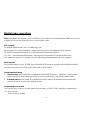
Select a band. Press AS/PS button on the panel or P.SCN/RPT button on the RC to scan all preset stations in the
memories of the current band. To stop preset scan, press the button again.
TA (Traffic Announcement) function
1. Press 8/TA/DSP button shortly to turn on or turn off the TA function.
2.
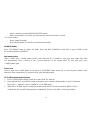
Press and hold for 2 seconds SEL button on the panel, press it shortly and repeatedly to select TA function.
Press VOL +/- buttons to select TA SEEK or TA ALARM mode.
3. When TA or TP RDS signal is available from the current station, TP icon is turned on. When TA/TP is
enabled (on), but no traffic announcement is transmitted, TP icon is off and TA icon keeps blinking.
19
Оглавление инструкции
- HYUNDAI
- H-CMD7087
- Dear customer!
- Table of contents
- Important safeguards
- Accessories
- Installation/connection
- Panel controls
- General operations
- Digital tuner operations
- Disc glossary
- DVD/SD/MMC/USB operations
- Discs for playback
- USB/SD/MMC notes
- Notes:
- Loading/Ejecting a disc
- Inserting the SD/MMC card/USB device
- Playing/pausing
- DIR+/DIR-
- Loudness
- Repeat playback
- Changing angle (for DVD only)
- Changing size (for DVD/VCD)
- A-B segment repeating
- OSD (OnScreen Display) function
- Program playing
- GOTO
- MENU
- Intro
- Dual mode
- MP3 overview
- DVD setup
- Bluetooth operation (option)
- Handling discs
- Cleaning
- Troubleshooting guide
- Specification
- Содержание
- Меры предосторожности
- Установка/подключение
- Установка устройства в приборную панель автомобиля «спереди» или «сзади»
- Установка устройства в приборную панель автомобиля «спереди» (Метод А)
- Установка устройства
- Снятие устройства
- Установка декоративной рамки
- Установка устройства в приборную панель автомобиля «сзади» (Метод Б)
- Снятие панели
- Подсоединение съемной панели
- Внимание:
- Элементы управления
- Основные операции
- Операции с цифровым тюнером
- Выбор диапазона
- Ручной/автоматический поиск радиостанций
- Программирование радио станций
- Кнопка ЛЕ/МСХС
- Функция автоматического сохранения станций в памяти
- Функция автоматического сканирования станций
- функция TA (программы о дорожном движении)
- Функция AF (Альтернативные частоты)
- Функция PTY (Тип программы)
- Используемая терминология
- Воспроизведение файлов с DVD/SD/MMC/USB носителей
- Диски для воспроизведения
- Загрузка/извлечение диска
- Установка устройств SD/MMC/USB
- Воспроизведение/Пауза
- Переход к предыдущему или следующему треку
- Ускоренное воспроизведение вперед или назад
- Выбор папки
- Повтор воспроизведения
- Изменение угла просмотра (только для DVD дисков)
- Выбор языка аудио
- Выбор канала (для VCD дисков)
- Выбор языка субтитров (для DVD дисков)
- Изменение масштаба изображения (для DVD/VCD дисков)
- Повторное воспроизведение фрагмента (A-B)
- Отображение информации на экране
- Работа с меню (для DVD дисков)
- PBC (управление воспроизведением) (только для VCD дисков)
- Программирование воспроизведения
- GOTO (переход к заданному параметру)
- Кнопка MENU
- Функция Intro (обзорное воспроизведение)
- Двузонный режим
- Воспроизведение в произвольном порядке
- Обзор MP3 и WMA
- Настройки DVD
- Операции с Bluetooth (опция)
- Обращение с дисками
- Чистка и уход
- Руководство по устранению неисправностей
- Технические характеристики
- H-CMD7087