Инструкция для Hyundai H-CMD7087
 1
 2
 3
 4
 5
 6
 7
 8
 9
 10
 11
 12
 13
 14
 15
 16
 17
 18
 19
 20
 21
 22
 23
 24
 25
 26
 27
 28
 29
 30
 31
 32
 33
 34
 35
 36
 37
 38
 39
 40
 41
 42
 43
 44
 45
 46
 47
 48
 49
 50
 51
 52
 53
 54
 55
 56
 57
 58
 59
 60
 61
 62
 63
 64
 65
 66
 67
 68
 69
 70
 71
 72
 73
 74
 75
 76
 77
 78
 79
 80
 81
 82

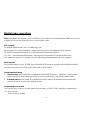
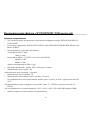
Bluetooth operation (option)
Feature:
1. Bluetooth specification V2.0 EDR compliant
2. Support HFP, A2DP, AVRCP.
3. Excellent ECHO cancellation with noise elimination
4. Dial
5. Display incoming and outgoing number
6. Call list
7. Phone book
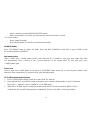
Pairing
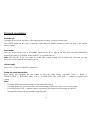
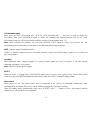
Before operation it needs to pair the mobile phone and receiver. Prepare your mobile phone for bluetooth
connection. According to mobile manual pairing device, when searching new device (KBT), select it, put in
pass code "8888" and confirm ok, device paring finished. Operate mobile connect to Bluetooth, after
connecting Bluetooth, Bluetooth indicating LED will be on.
Note
: Make sure to keep the other Bluetooth device within 2 meters from this unit when making the pairing.
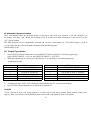
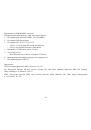
Basic Telephone Operation
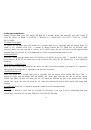
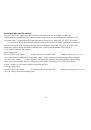
Answer a call: Short press ACCEPT CALL b u f f o n ” — t o answer a call.
Reject a call: Short press REJECT CALL button to reject a call.
Hang up: Short press REJECT CALL button to hang up during dialing or talking.
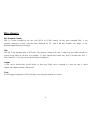
Dial
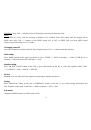
Short press ACCEPT CALL button LCD will blink with press digit buttons to input phone number,
(Press SEL button on panel or LEFT cursor button on the RC to delete a wrong number), then press Accept Call
button to dial the number.
33
Оглавление инструкции
- HYUNDAI
- H-CMD7087
- Dear customer!
- Table of contents
- Important safeguards
- Accessories
- Installation/connection
- Panel controls
- General operations
- Digital tuner operations
- Disc glossary
- DVD/SD/MMC/USB operations
- Discs for playback
- USB/SD/MMC notes
- Notes:
- Loading/Ejecting a disc
- Inserting the SD/MMC card/USB device
- Playing/pausing
- DIR+/DIR-
- Loudness
- Repeat playback
- Changing angle (for DVD only)
- Changing size (for DVD/VCD)
- A-B segment repeating
- OSD (OnScreen Display) function
- Program playing
- GOTO
- MENU
- Intro
- Dual mode
- MP3 overview
- DVD setup
- Bluetooth operation (option)
- Handling discs
- Cleaning
- Troubleshooting guide
- Specification
- Содержание
- Меры предосторожности
- Установка/подключение
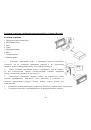
- Установка устройства в приборную панель автомобиля «спереди» или «сзади»
- Установка устройства в приборную панель автомобиля «спереди» (Метод А)
- Установка устройства
- Снятие устройства
- Установка декоративной рамки
- Установка устройства в приборную панель автомобиля «сзади» (Метод Б)
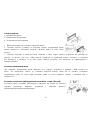
- Снятие панели
- Подсоединение съемной панели
- Внимание:
- Элементы управления
- Основные операции
- Операции с цифровым тюнером
- Выбор диапазона
- Ручной/автоматический поиск радиостанций
- Программирование радио станций
- Кнопка ЛЕ/МСХС
- Функция автоматического сохранения станций в памяти
- Функция автоматического сканирования станций
- функция TA (программы о дорожном движении)
- Функция AF (Альтернативные частоты)
- Функция PTY (Тип программы)
- Используемая терминология
- Воспроизведение файлов с DVD/SD/MMC/USB носителей
- Диски для воспроизведения
- Загрузка/извлечение диска
- Установка устройств SD/MMC/USB
- Воспроизведение/Пауза
- Переход к предыдущему или следующему треку
- Ускоренное воспроизведение вперед или назад
- Выбор папки
- Повтор воспроизведения
- Изменение угла просмотра (только для DVD дисков)
- Выбор языка аудио
- Выбор канала (для VCD дисков)
- Выбор языка субтитров (для DVD дисков)
- Изменение масштаба изображения (для DVD/VCD дисков)
- Повторное воспроизведение фрагмента (A-B)
- Отображение информации на экране
- Работа с меню (для DVD дисков)
- PBC (управление воспроизведением) (только для VCD дисков)
- Программирование воспроизведения
- GOTO (переход к заданному параметру)
- Кнопка MENU
- Функция Intro (обзорное воспроизведение)
- Двузонный режим
- Воспроизведение в произвольном порядке
- Обзор MP3 и WMA
- Настройки DVD
- Операции с Bluetooth (опция)
- Обращение с дисками
- Чистка и уход
- Руководство по устранению неисправностей
- Технические характеристики
- H-CMD7087